Project Background
As a tennis player, fan, and former coach I noticed that there isn't a good-quality app that can be used for scoring tennis matches.
Tennis is a game of fine margins, so scoring and keeping track of what went well and what didn't becomes very important for players who want to improve their game.
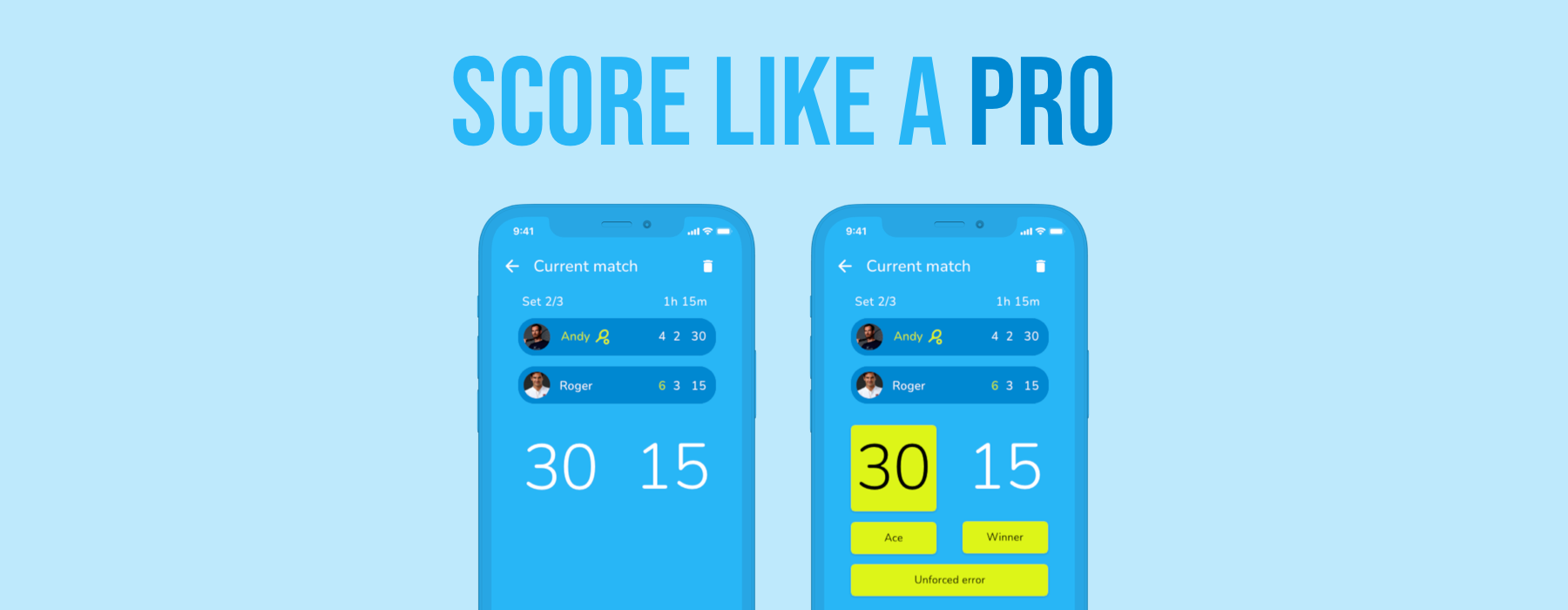
This is what Match Point looks to help with. Giving the likes of coaches, parents and tennis enthusiasts the ability to easily score a match point by point and to help players get insight into their game.
Existing apps
Below are some screenshots of four different, existing tennis scoring apps that I found on the Google Play Store and Apple App Store. There is no stand-out or established app in the market at the moment.
One of these apps has over 100,000 downloads on the Play Store with a rating of 4.2 while another was "Selected as #1 tennis tracker by AppPicker and is used by ATP, WTA, and ITF coaches around the world " and the "Best in class tennis app to track a match live or enter complete results." Sounds great, right?
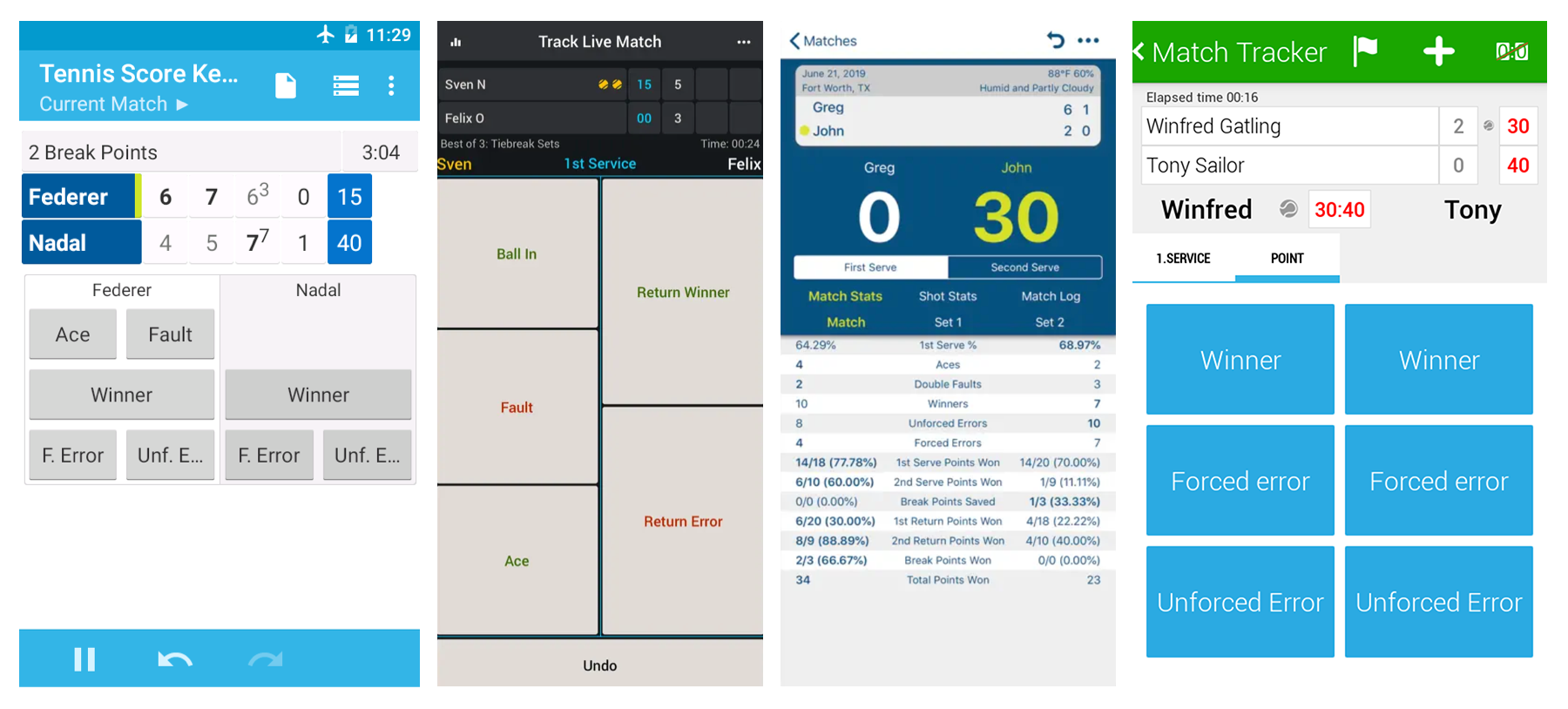
Some of these apps have the right building blocks with their scoring system and statistics. In my opinion, looking at today's design standards they feel a bit outdated, uninspiring and at times, a bit complex. Some of the feedback left on the app stores echo these sentiments. There is definitely room for improvement!
Initial Sketches
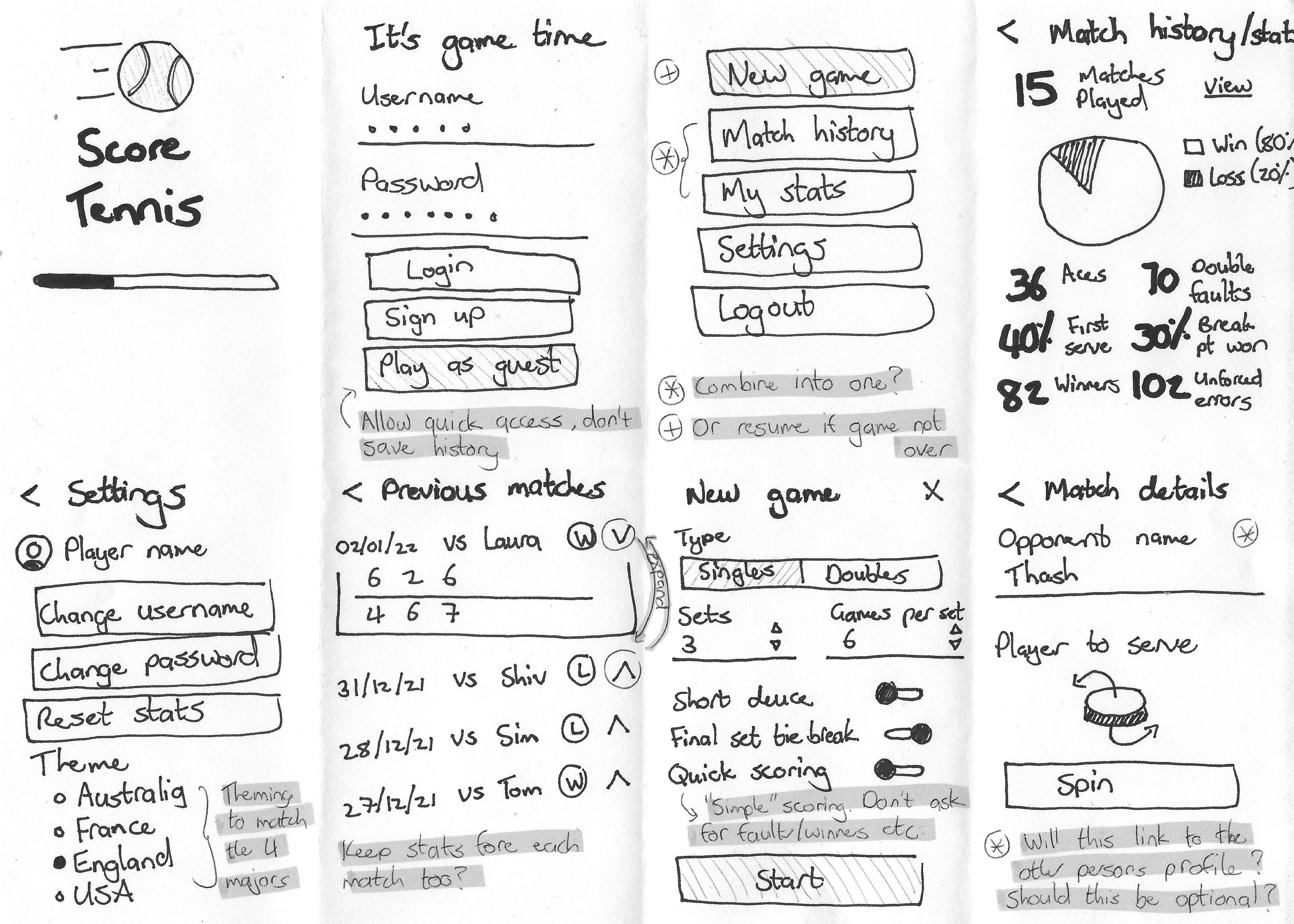
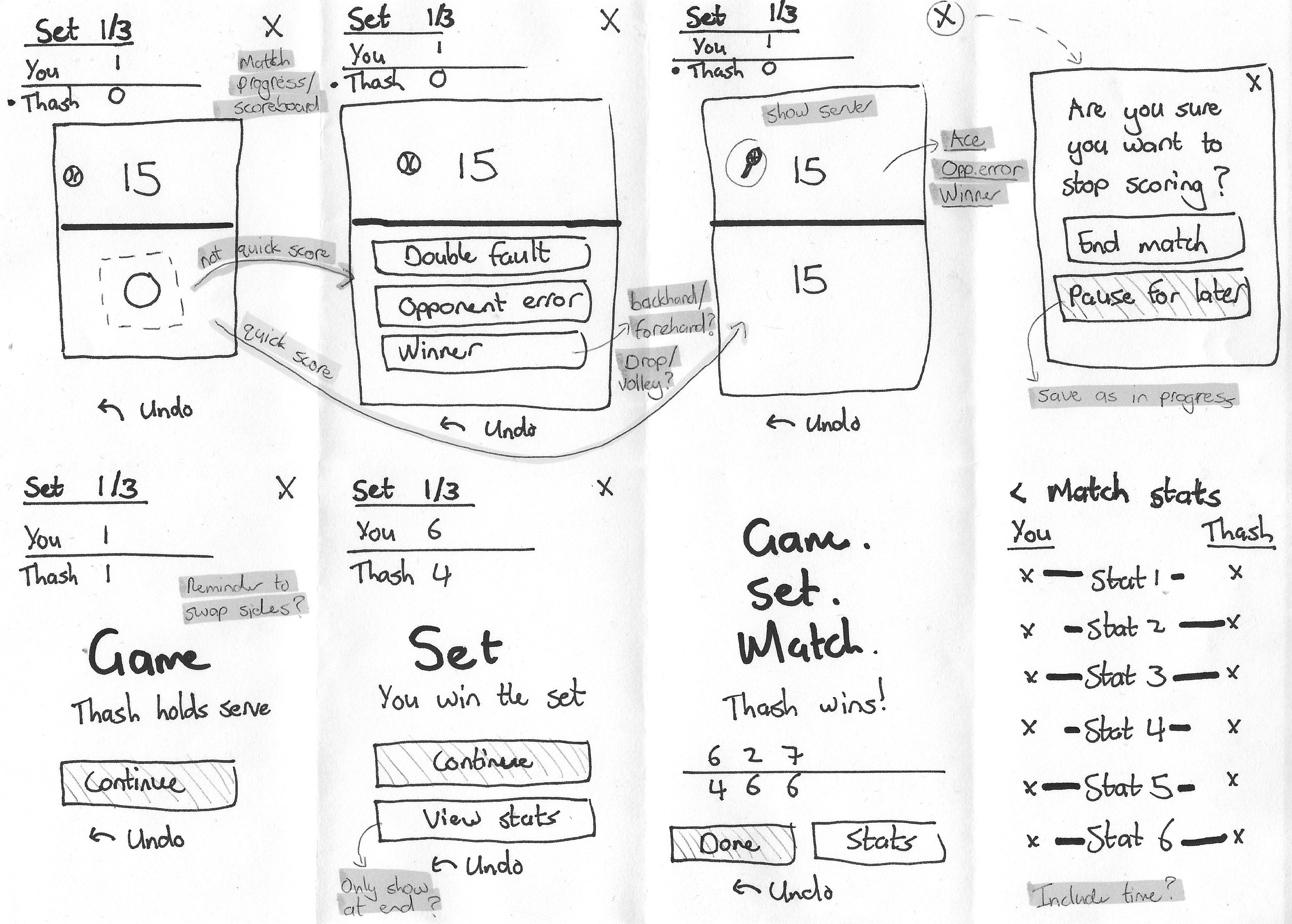
I used these sketches to start mapping out the high-level features I had in mind:
- Standard profile creation, also giving players the option to play as a guest to just score without keeping a history
- Setting up a match - including the format, length, level of scoring etc.
- A match history where a player can see all of the matches they have completed
- A stats summary which highlights the player's stats across all matches played
- Settings, to house app preferences and the normal profile maintenance functionality
The most important part was next - how to score a match. A tennis match is made up of points, games and sets.
- The match progress would always need to be visible (games and sets)
- My initial plan was to have the majority of the screen resemble a court, with two large touch areas to select who won the point
- Options to record stats such as double faults, winners, errors etc. depeding on who won the point would then be shown
- The scorer would be able to undo their last action in case of an error
- I also wanted to give the option to pause the match for later, if it could not be completed then and there (due to poor weather etc.)
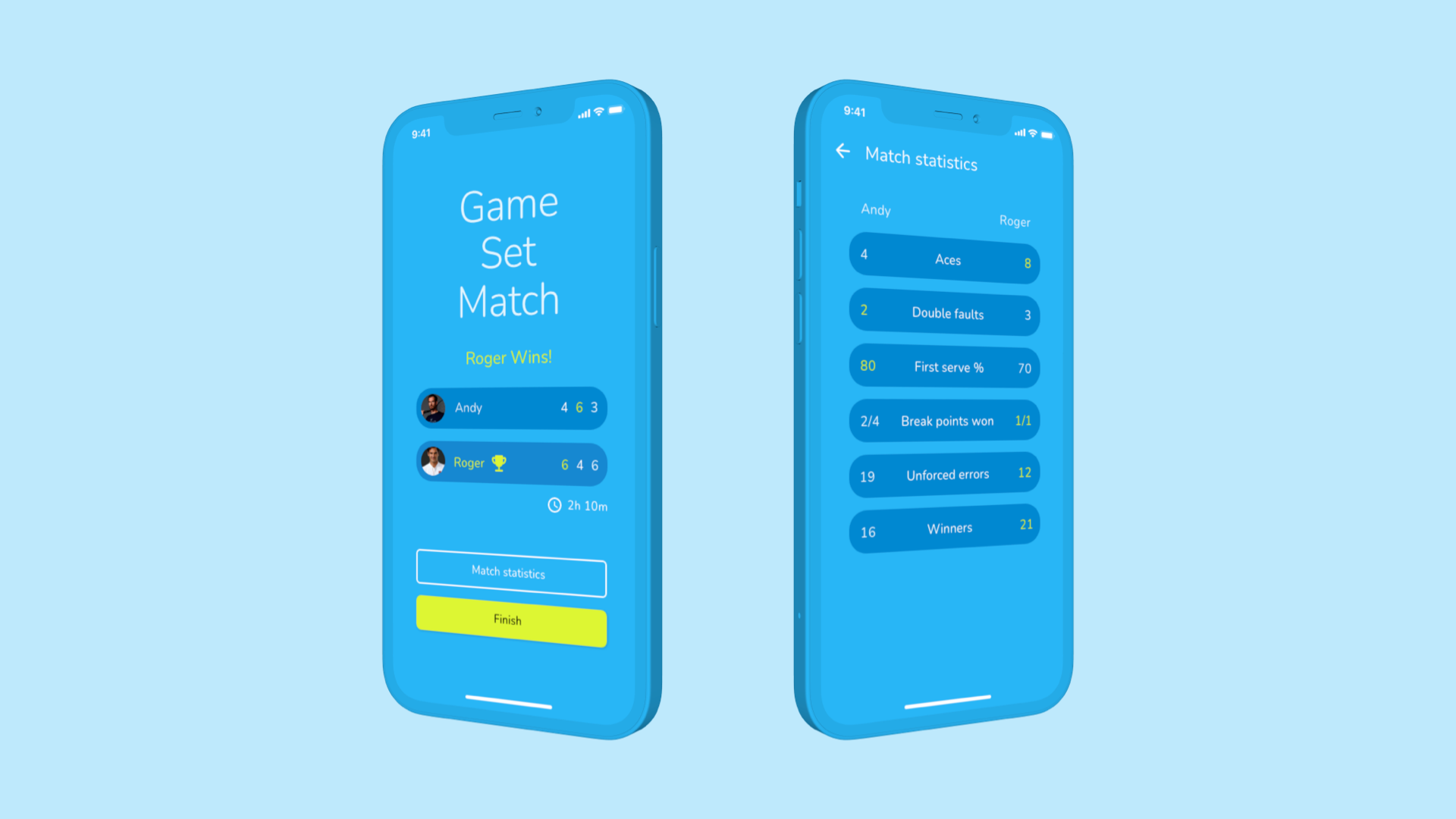
- "Checkpoints" would be shown at the completion of each game, set, and ultimately, the match
Wireframes
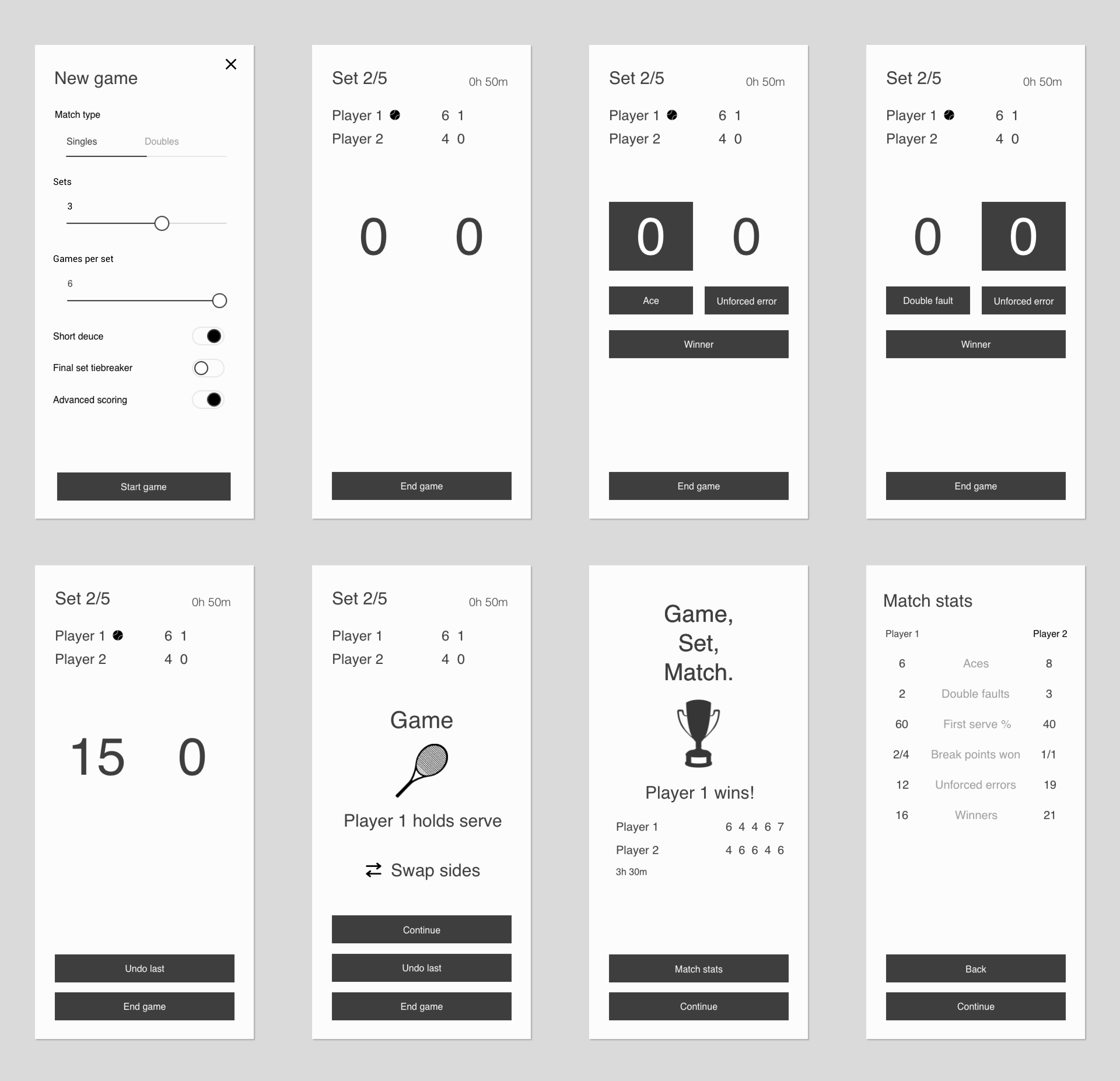
During this phase, I wanted to focus on the scoring process. Going over some thoughts from my initial sketches, I decided to include elapsed match time and have a different layout for the points display.
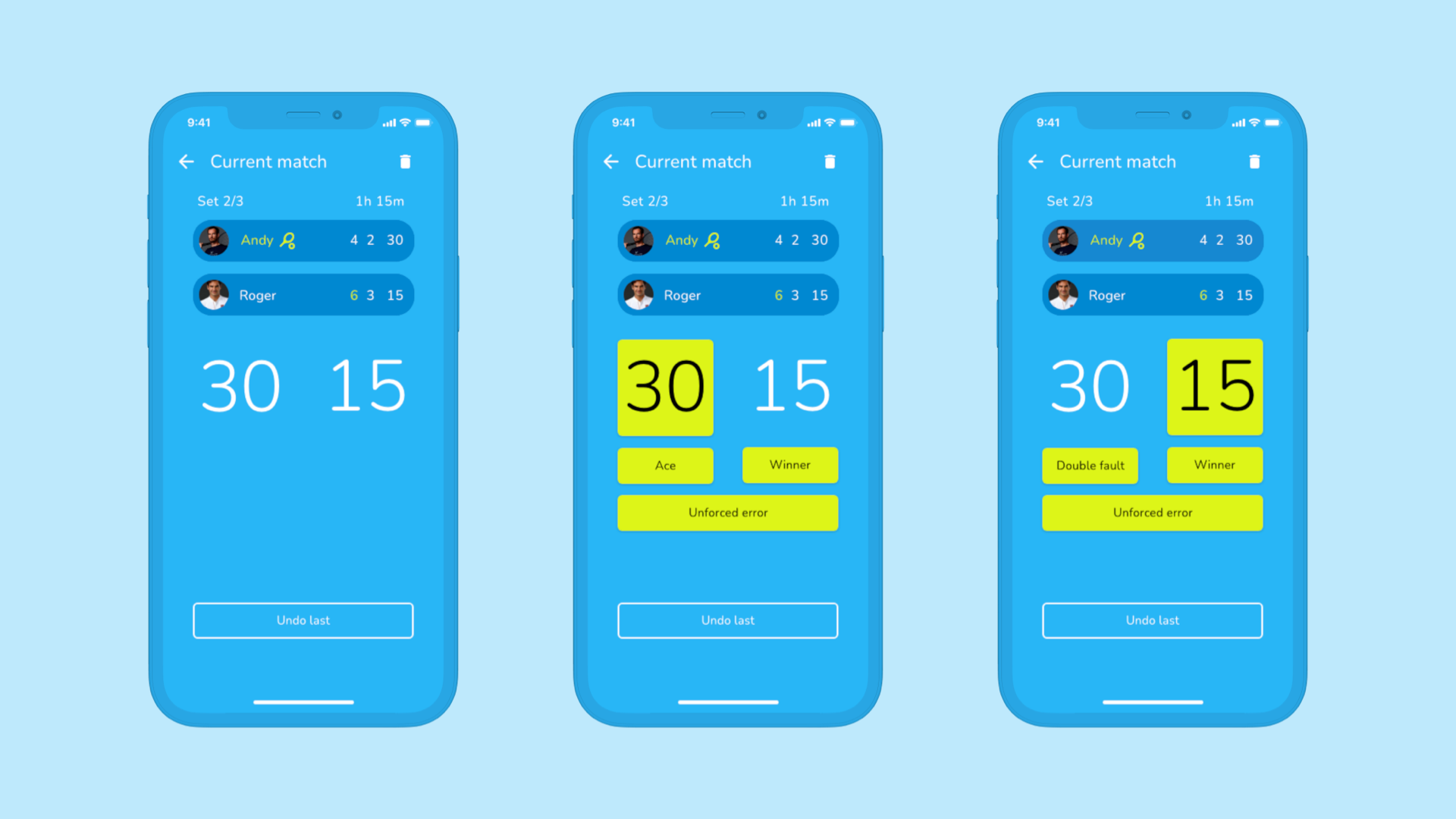
The thinking behind this was that the stacked layout representing a court may have been confusing for the scorer, if they weren't watching the match from the position that matched what they saw on screen (directly below the court). I opted for a more standard side-by-side layout which always has the server's score shown first.
This layout also allowed enough space for the score to always be shown and highlighted once selected, showing the associated point options below it.
I also unpacked the match stats in more detail (bottom right), to align with the point options that would be selected by the scorer.
Design inspiration
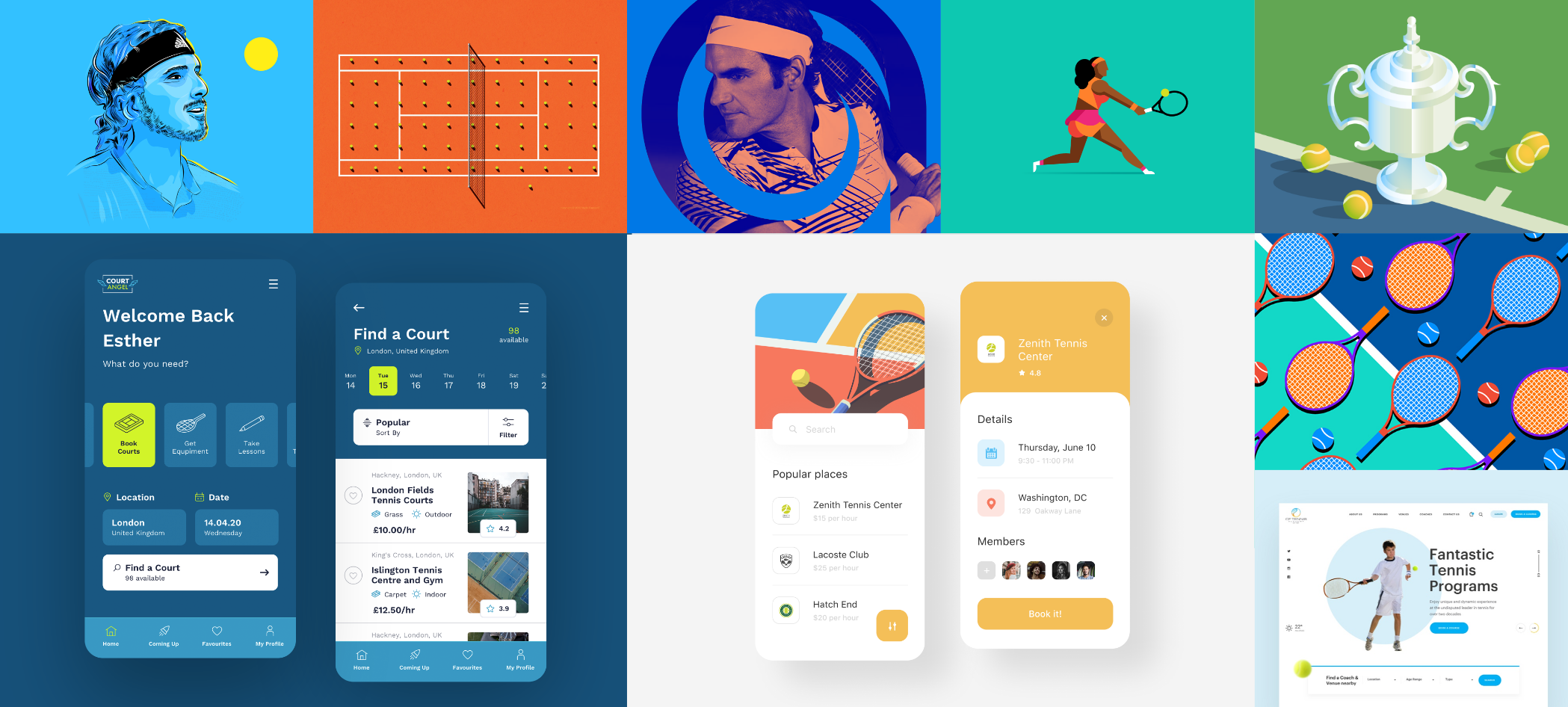
I drew inspirataion from other tennis/sport designs on popular sites such as Dribbble, Behance and Pinterest. With sports designs, from digital products to clothing - the colours used are always very bold, exciting and have an energy about them. Much like what is required when it comes to playing any sport!
I enjoy the more playful illustration style in some of these designs. App designs that are more minimal and have lots of breathing room look a lot more modern like other popular apps today.
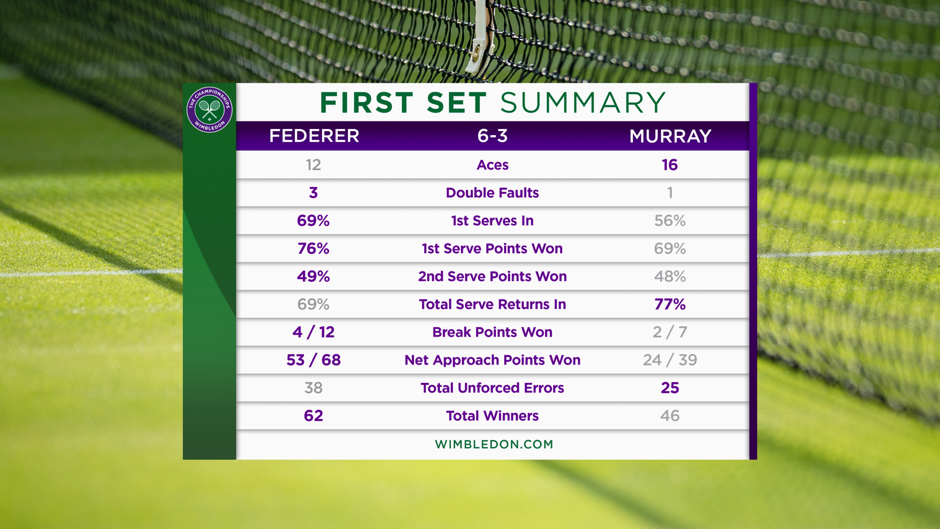
TV broadcasts of tennis matches across the world were also a source of inspiration. They have a standard way of displaying matches and their statistics, like the image below. For example, subtle use of colour indicates which of the players have better performance across each of the categories.
Since one of my goals was to put television-level presentation in the everyday player's hands, I knew that borrowing from standards like this would be familiar and pleasing to users.
Bringing it all together
I chose to implement this UI using Google's Material Design. It is a well-established design system that provides a consistent and recognisable experience across both Android and iOS devices. It is also supported in Flutter, a cross-platform app development framework that I am looking to use to develop this.
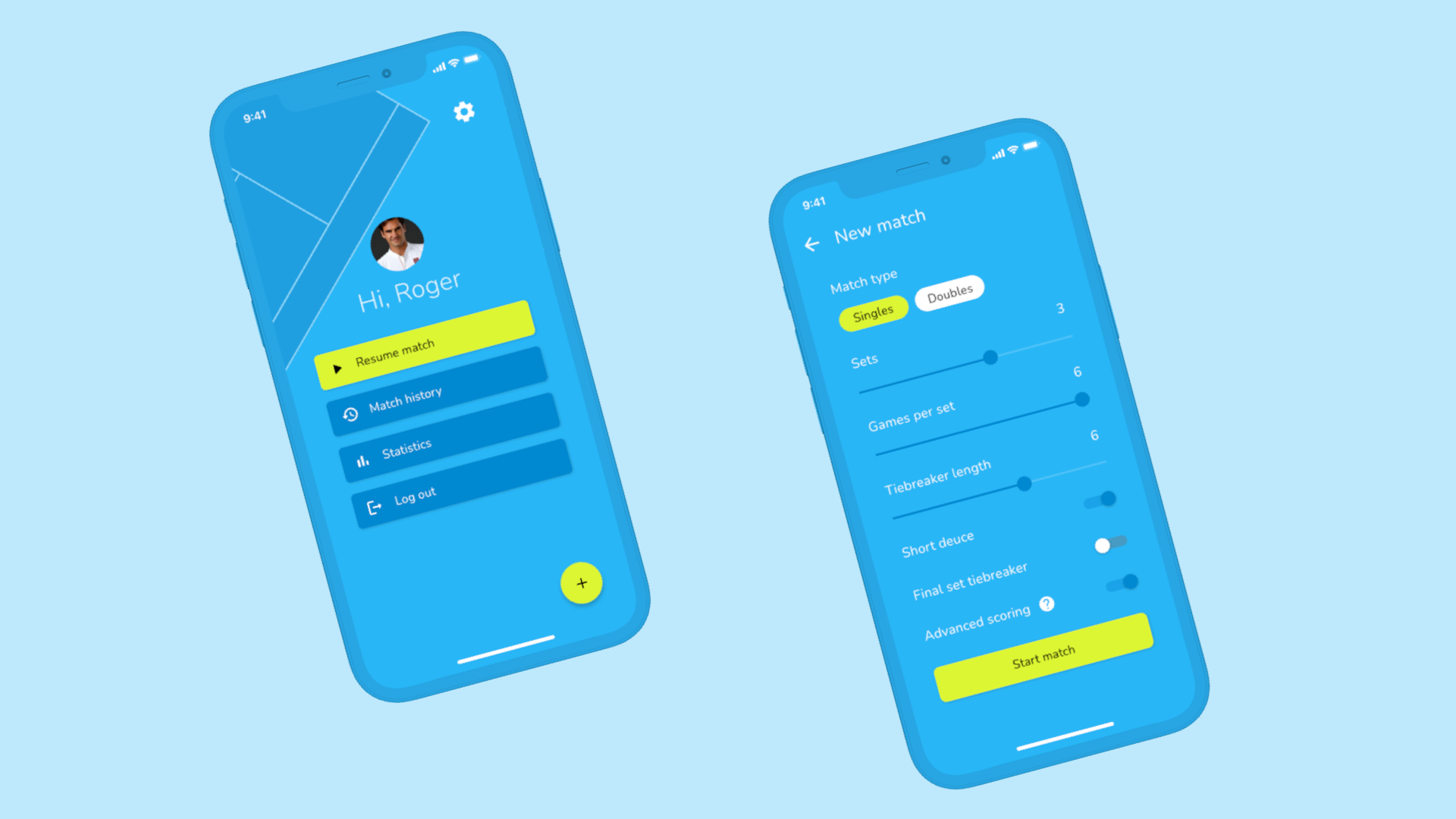
I focussed on the main menu, game setup and scoring process here. Some small details I introduced that I was excited about were:
- A help icon shown next to the "advanced scoring" option to provide more context about it (since it's a term specific to this app)
- Highlighting the serving player, winner of each set and stat category using a different colour for easy scanning
- A not so-small feature, the inclusion of dark mode!
Style Guide
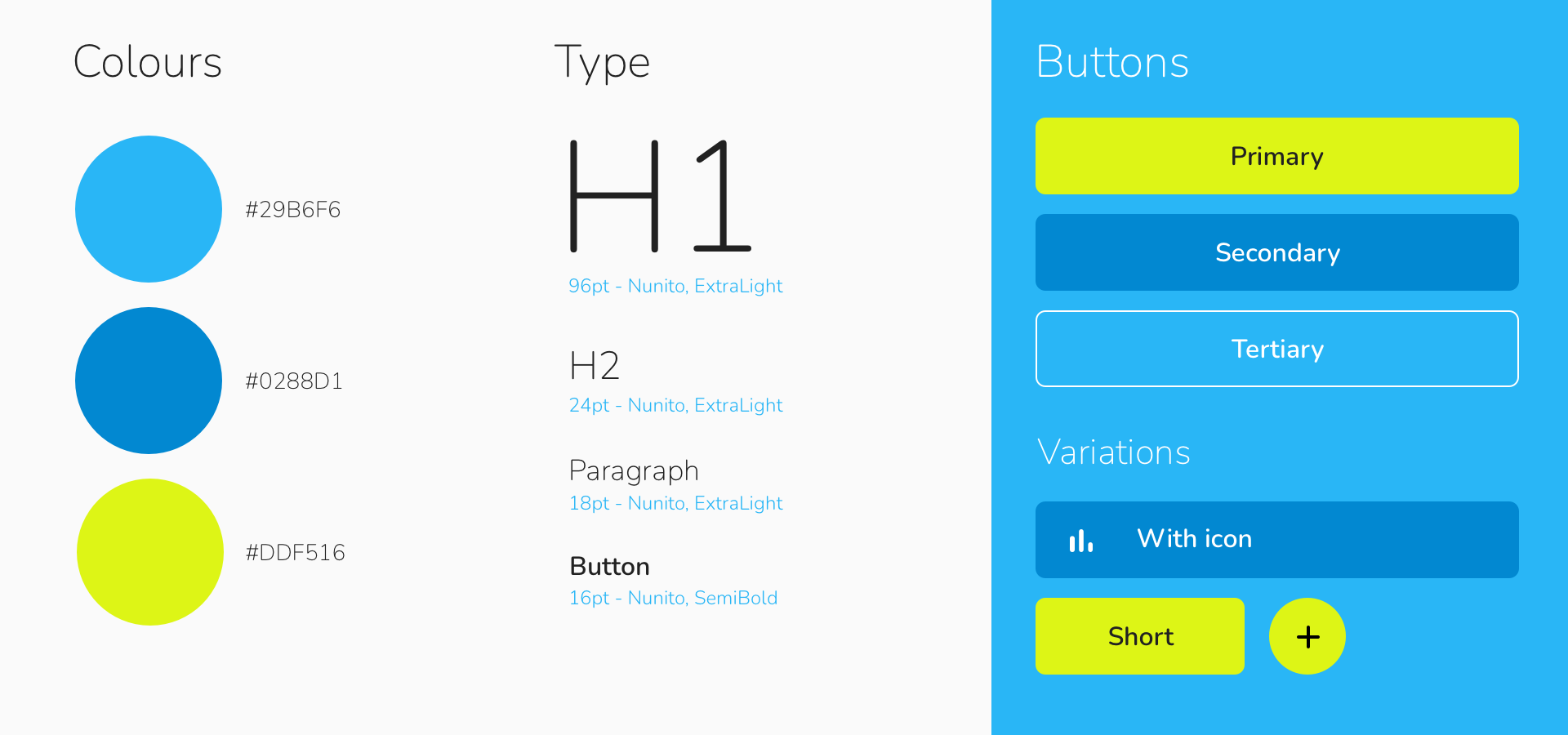
I chose blue for the primary colour, a popular choice seen on many tennis courts. I applied this as the background of the app to make it feel like you are looking down on a court.
The secondary colour represents a tennis ball and this paired well with the main colour and provided great contrast. I made use of a third colour - a different shade of blue to allow for better grouping of content and for another button type.
Nunito was used as the font, which I like because of its rounded corners which give it a soft and friendly appearance. The type sizing is quite standard, with the exception of the much larger H1 which is used for the in-game point scoreboard.
I designed three basic buttons, with some variations that included icons for the main menu, compact primary buttons for the point scoring as well as a FAB (floating action button) to start a new match.
A Look for Every Season
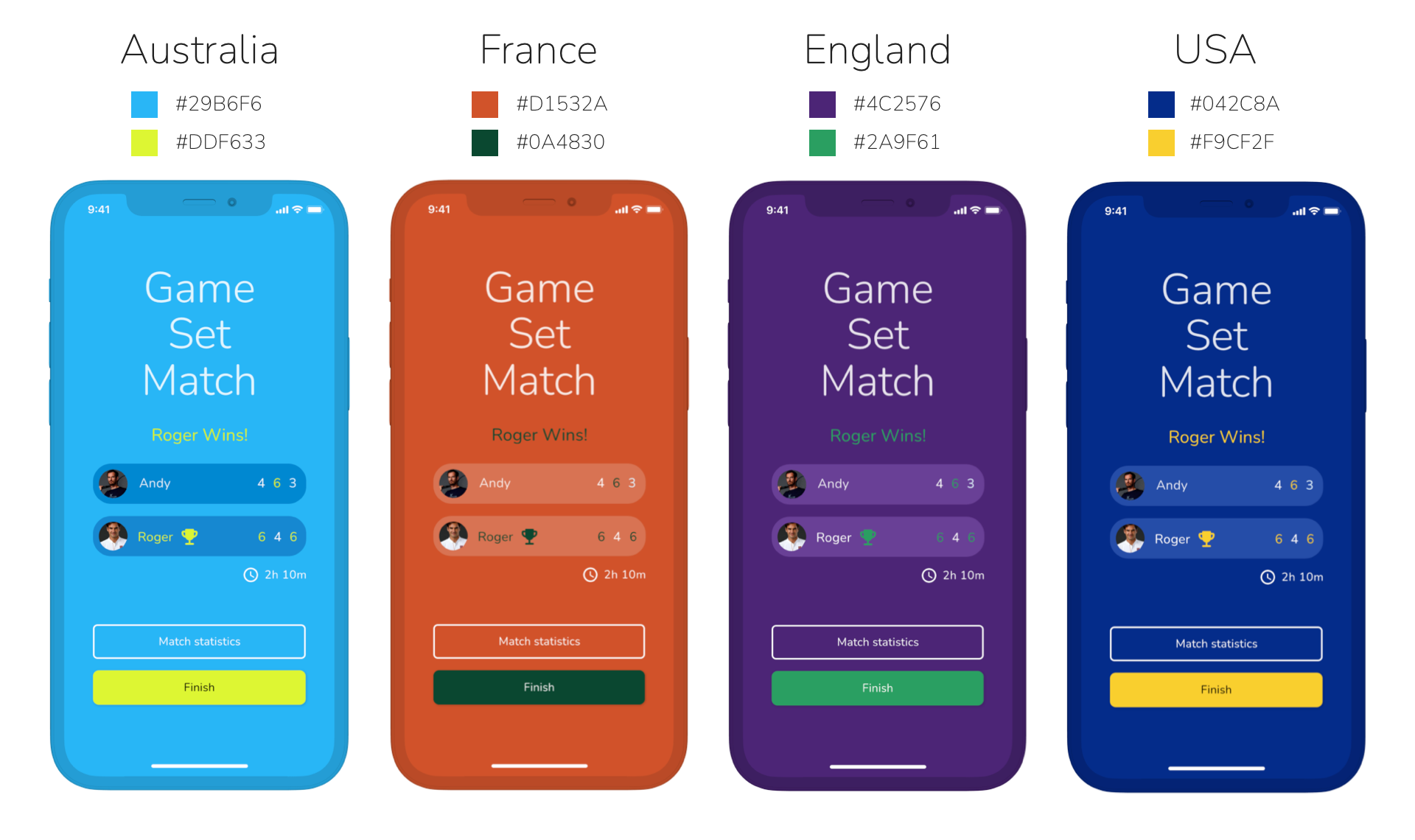
A final touch to this project was the inclusion of four selectable themes, representing the four tennis majors held ever year.
These are the Australian Open, Roland-Garros, the famous Wimbledon and the US Open.

Subtle variations of tournament's branding would be used as the primary and secondary colours in the app.
The motivation behind this is that it is a known trend in the tennis world that sees an increase in people around the world dusting-off their rackets or being inspired to start learning the game when each of the majors is being played, especially Wimbledon. So what better way to get people using the app than letting them customise it to match what they have been seeing on TV.